

Set up BA Post Purchase Upsell
Build one click upsells that appear after the original checkout. Start with the required Shopify setting in step one, then create and test your first funnel.
Install from the Shopify App Store and enable it in checkout settings
Open BA Post Purchase Upsell on the Shopify App Store and click Install, then approve the permissions. Next, and this is the step everyone misses, go to Settings → Checkout in your Shopify admin, scroll to the Post-purchase page section, select BA Post Purchase Upsell, and save. Shopify only ever shows one post-purchase app, so until it's selected here your offers cannot appear.
If offers ever stop showing, check this setting first, because installing another post-purchase app can switch it.
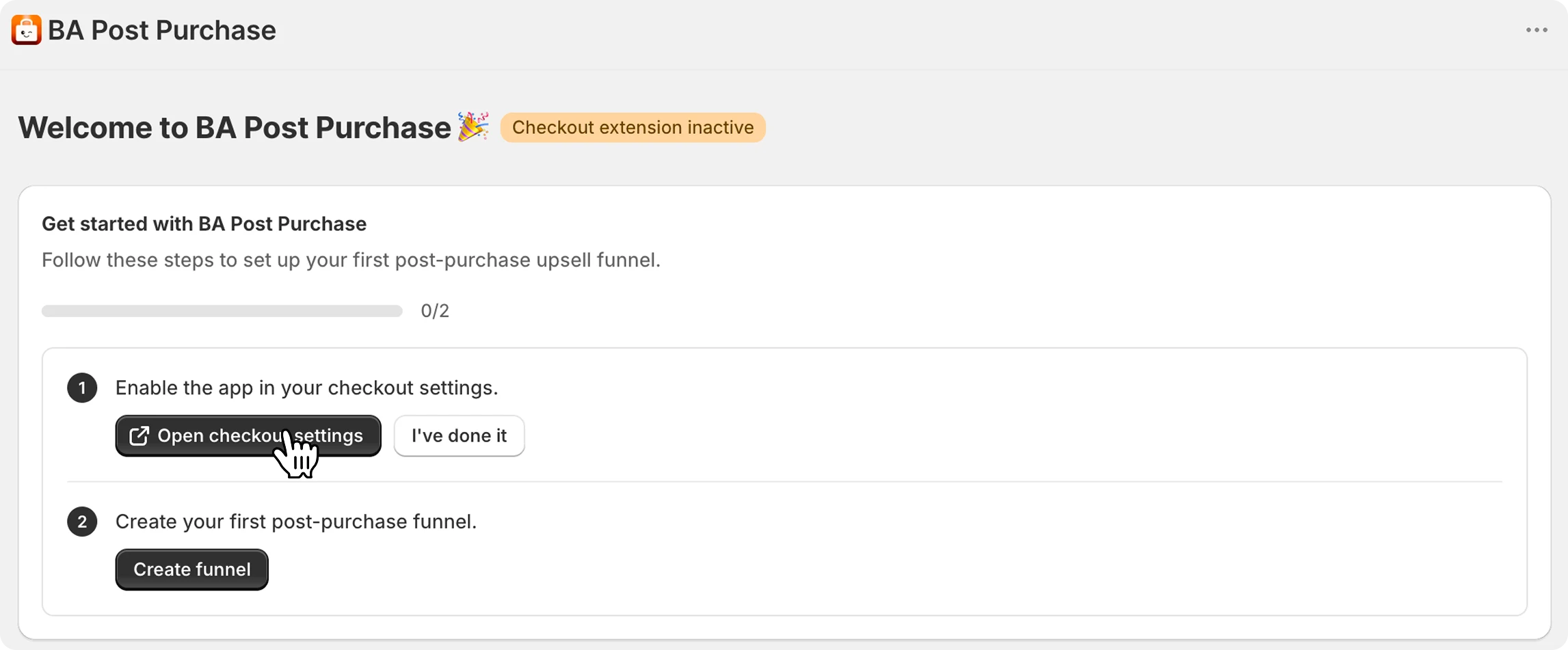
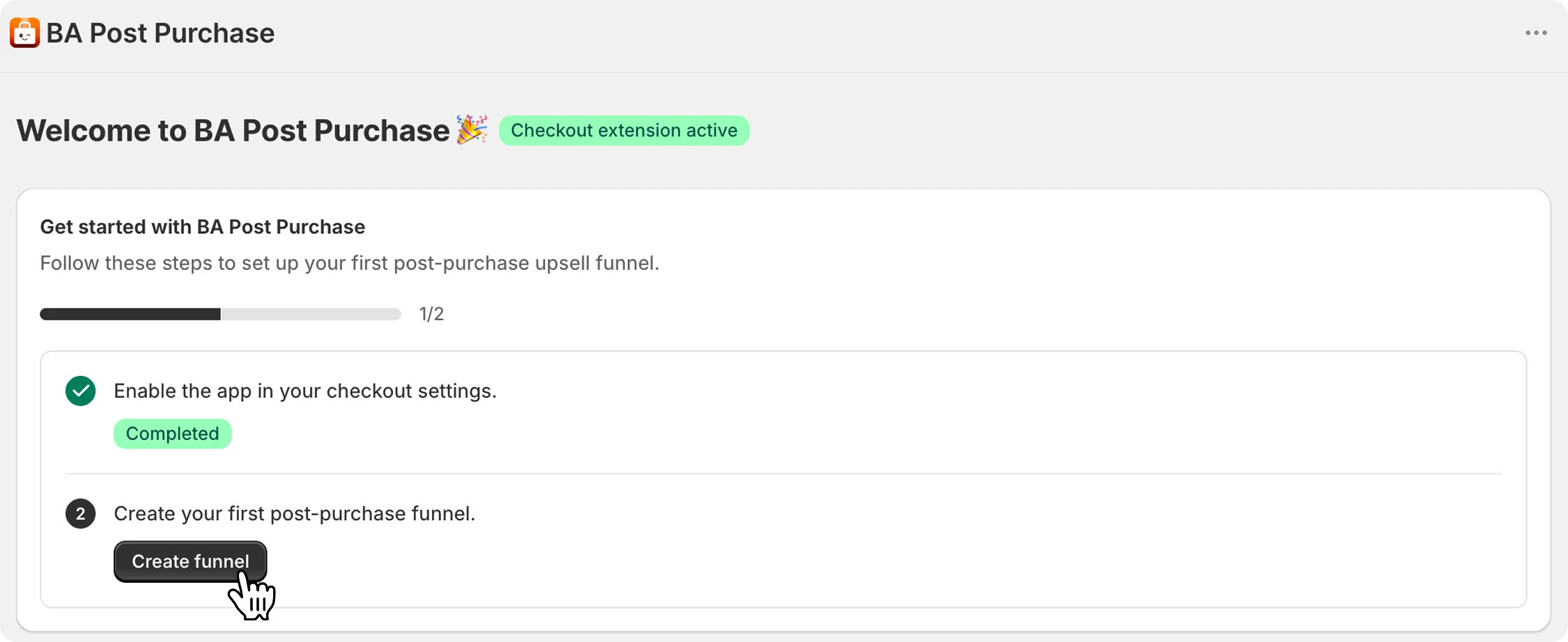
Create your first funnel
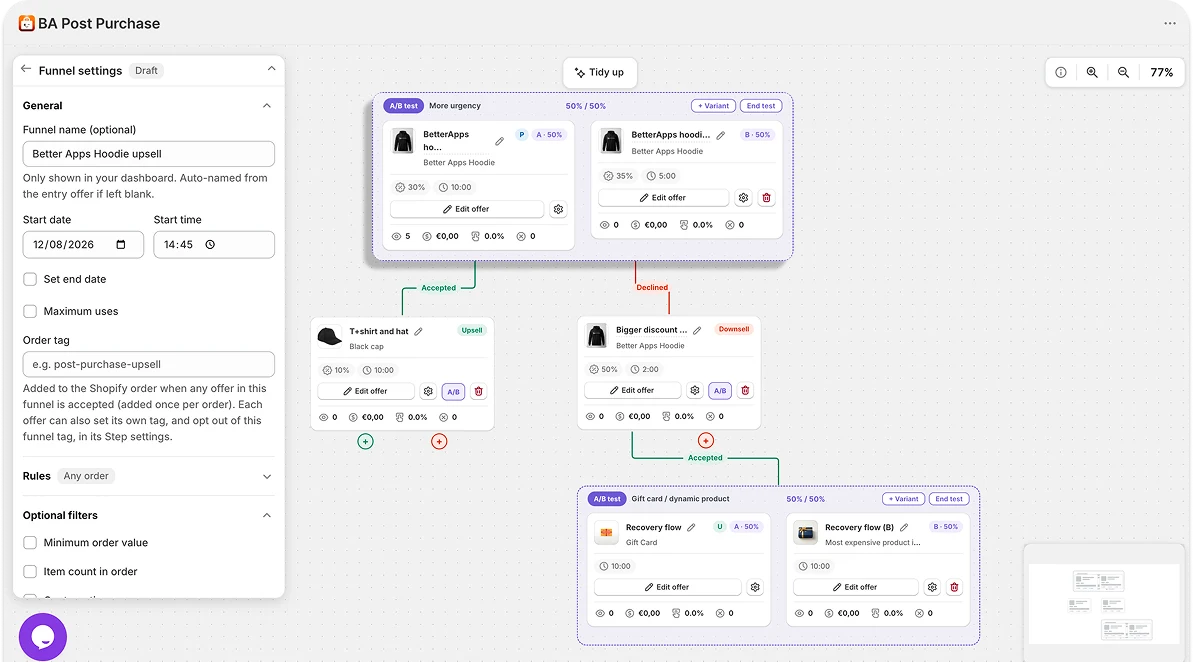
In the app, create a funnel: the upsell offer a customer sees right after paying, and optionally a downsell that appears if they decline it. Unlimited funnels are included on every plan, but one strong offer on your best-seller is the right place to start.
Customize the offer with the visual editor
Design the whole offer page in the visual editor, including the product, copy, images and layout. Add a countdown timer when the offer genuinely has a time limit.
Build funnels and A/B tests
Chain upsells and downsells into multi-step funnels, then A/B test offers to see what converts best. Optimize every step after the sale.
Test it with an order
Place a test order on your store and pay by card. Right after checkout, before the thank-you page, your offer should appear, and accepting it should add the item with one click, no re-entering payment details. Refund the order afterwards if it was a real one.
Post-purchase offers are a Shopify checkout feature and only appear for supported payment methods (standard card payments through Shopify Payments). Orders paid with some wallets or third-party gateways skip the offer. That's Shopify behaviour, not a bug.
Track the results
The dashboard shows how each funnel performs: views, acceptance rate, and the extra revenue generated. Iterate on the offer and countdown; small copy changes often lift acceptance noticeably.
Quick troubleshooting
The fastest fixes for the things merchants run into most. Still stuck? Support is 24/7.
Ninety percent of the time the app isn't selected under Settings → Checkout → Post-purchase page in your Shopify admin. Select it and save. Otherwise, check that a funnel is live and its targeting matches the test order, and that you paid by card: Shopify doesn't show post-purchase offers for some wallets and third-party gateways.
Shopify allows only one post-purchase app at a time. Reselect BA Post Purchase Upsell under Settings → Checkout → Post-purchase page.
Confirm the offered product/variant is in stock and available on your online store sales channel. If it still fails, message support with the order number and we'll trace it.
Place a low-value test order by card and refund it afterwards, or use a development store with Shopify's test payments. The offer flow behaves identically.
Message our 24/7 support from inside the app. We answer fast and can help tune your funnels.